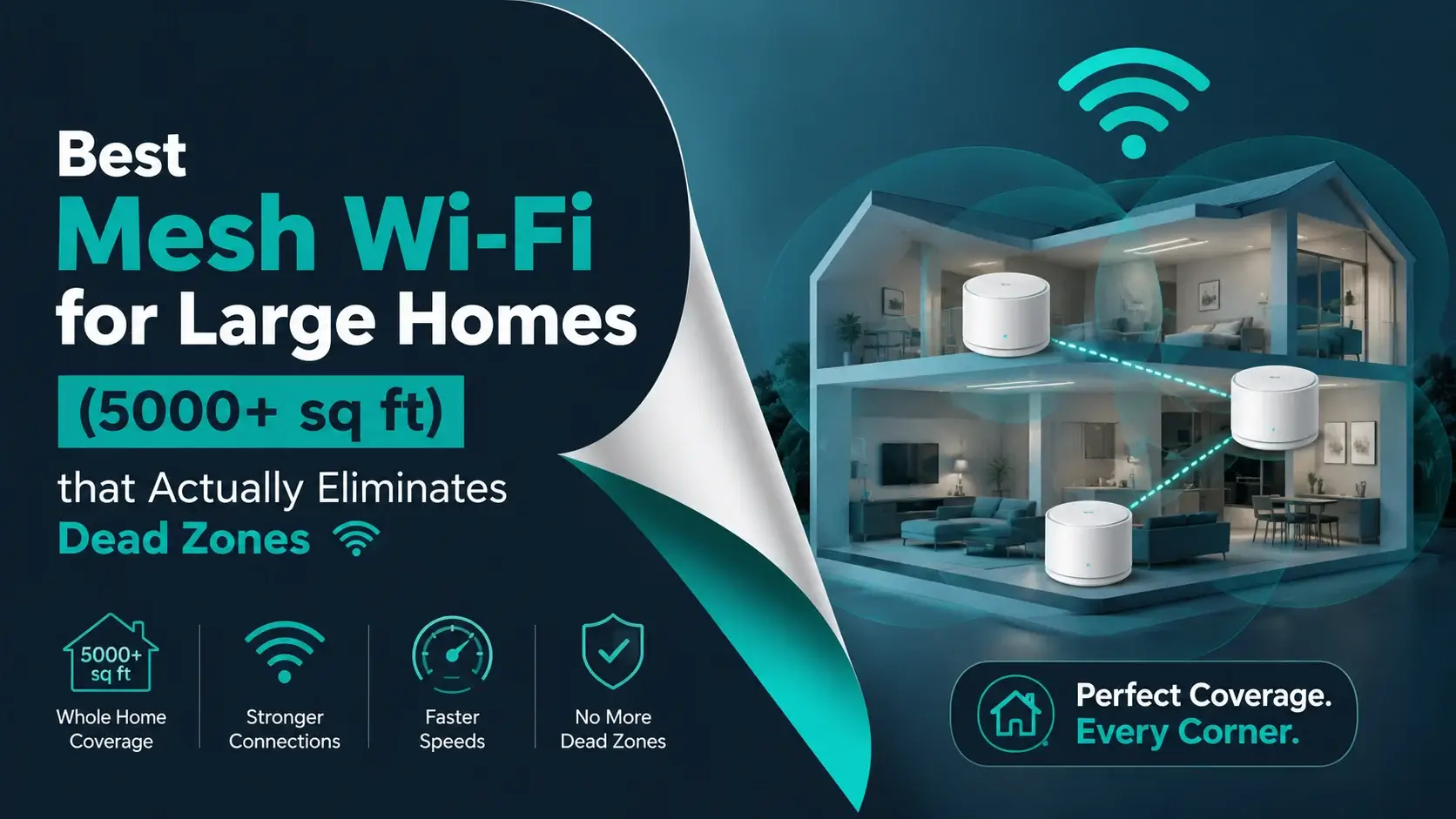
Best Mesh Wi-Fi for Large Homes (5000+ sq ft) that Actually Eliminates Dead Zones

If you live in a big house, then you already know the struggle. One room gets perfect internet, while in the next room, you are barely able to load a webpage. When you walk upstairs, your video call suddenly freezes, you try streaming in the backyard, and it just buffers forever. This is exactly where mesh Wi-Fi for large homes becomes not just useful, but a necessity.
A normal Wi-Fi router is designed for smaller spaces, and once your home crosses 3,000 to 5,000 square feet, especially with multiple floors, thick walls, or a lot of devices, that single router starts to fail. It is not about your internet speed anymore; it is about how well that speed spreads across your home.
In this blog, you will get to know everything in simple terms. No complicated tech things, just what actually works for you, what to look for, and the best systems you can trust for your large homes.
Let’s start with the basics first….
Why do Large Homes Need Mesh Wi-Fi Systems?
Let’s talk about the real problem first before going into depth. In a 5,000+ sq. ft. home, your Wi-Fi signal is fighting a lot of things, such as walls, floors, furniture, and even appliances.
The farther you go from the router, the worse it gets, and what makes it even worse is that modern homes have way more connected devices than before.
In a 5000+ sq ft home:
- Have smart TVs in multiple rooms.
- Phones, laptops, and tablets.
- Security cameras and doorbells.
- Smart lights and speakers.
- Gaming consoles.
Just think about it, all the above devices are easily 30 to 70 devices in one house, and a single router just cannot handle that load while also covering that much space. That’s where a mesh Wi-Fi solves your problem by using multiple units called nodes. These nodes work together to create one strong network across your entire home.
It is like instead of shouting from one corner of the house, you have multiple speakers placed everywhere, all working together.
How does Mesh Wi-Fi for Large Homes Actually Work?
Let’s make this super easy for you to understand.
A mesh system includes:
- One main router connected to your modem.
- Multiple satellite units are placed around your home.
These units talk to each other and spread the signal evenly, and instead of connecting to one weak router, your device connects to the closest and strongest node automatically.
This connection of devices gives you:




- No dead zones
- Stable connection everywhere
- Smooth switching between rooms
And the best part here is, you don’t need to manually reconnect your Wi-Fi when you are moving around.
What to Look for Before Buying a Mesh System?
Before jumping into recommendations for buying a mesh system, you need to understand what actually matters to you because this is where most people make mistakes. Most people just look at price or brand name, but that is not how you choose the right system for a large home.
You need to focus on real performance factors that affect your daily internet experience.
A good mesh system is not just about speed; it is about providing:
- Consistent coverage across your entire home.
- Stable connection without drops.
- Handling multiple devices smoothly.
Once you understand these basics, choosing the right system becomes much easier, and you avoid wasting money on the wrong setup.
Here’s what you have to look for:
1. Coverage Area
Manufacturers always say “covers up to X sq ft.” But real homes are not empty boxes as they have walls, especially brick or concrete that reduce signal strength. Furniture, floors, and layout also affect how far your Wi-Fi actually reaches.
This is why coverage numbers don’t always match real-life performance.
Your experience depends on things like:
- Wall material and thickness
- Number of floors
- Overall layout
So, here’s a simple rule that you have to follow: If your home is 5,000 sq ft, choose a system rated for at least 6,000 to 7,000 sq ft.
This gives you proper headroom and helps your network stay strong even in far rooms, corners, and upper floors.
2. Tri-band vs dual-band
Many people ignore this difference and end up with slower performance without even realizing why. It might look like everything is working fine at first, but as more devices connect or you move farther from the router, your network starts slowing down.
Understanding this difference can save you from a lot of frustration later. It directly affects how smooth your internet feels in daily use, especially in large homes.
- Dual-band: Devices and nodes share the same connection.
- Tri-band: One band is dedicated to communication between nodes.
Think of it like traffic:
- Dual-band = one road for everything.
- Tri-band = separate road for system communication.
For large homes, always go with tri-band or better, as it helps you by:
- Reducing network congestion.
- Maintaining higher speeds.
- Improving performance when many devices are connected.
3. Wi-Fi 6, 6E, or Wi-Fi 7
Choosing the right Wi-Fi version is important, especially for your large home where multiple devices are always connected. Older Wi-Fi standards can struggle with speed and stability, so it’s better to go with something more modern if you can.
Here’s the quick breakdown for you to understand easily:
- Wi-Fi 6: Good for most homes.
- Wi-Fi 6E: Adds faster and less crowded 6GHz band.
- Wi-Fi 7: Latest, fastest, best for future use.
If your budget allows, go for Wi-Fi 6E or Wi-Fi 7 as these newer standards are designed for modern usage, such as:
- 4K and 8K streaming
- Online gaming
- Smart home devices
- Video calls and remote work
It makes a noticeable difference, especially when multiple devices are running at the same time.
4. Number of Nodes
Choosing the right number of nodes is just as important as choosing the right mesh system. Even the best system will not perform well if you don’t have enough units placed around your home. The main goal is to spread coverage evenly so every area gets a strong and stable signal.
For a 5,000 sq ft home:
- Minimum: 3 nodes
- Ideal: 3 to 4 nodes, depending on layout
You may need more if your home has:
- Multiple floors
- Thick concrete or brick walls
- Long or unusual layouts
Adding an extra node is always better than dealing with dead zones later, as the right number of nodes ensures smooth and reliable coverage throughout your home.
Best Mesh Wi-Fi Systems for Large Homes
Now let’s get into the real recommendations. These are not random picks or marketing-heavy suggestions. These systems are actually used in large homes where stable internet matters every day.
These systems are best for you if you have:
- A home above 5,000 sq ft.
- Multiple floors or wide layouts.
- Many connected smart devices.
Here are examples of mesh Wi-Fi systems for you, through which you can easily compare what each system offers and help you to choose based on actual usage instead of just brand names.
1. Netgear Orbi Quad-Band
This mesh WiFi system is for users who want top performance without compromise. It is designed for large homes where multiple people are online at the same time and need stable speeds everywhere.
It performs well even under heavy load, so streaming, gaming, and video calls can run together without slowing things down or creating dead zones.
– Key highlights:
- It covers up to 9,000 sq ft (3-pack).
- Supports 100+ devices.
- Quad-band with dedicated backhaul.
- Excellent for multi-floor homes.
2. Asus ZenWiFi Pro
This mesh WiFi system is ideal for you if you want more control over your network. It is built for users who like to fine-tune settings for gaming, streaming, or work performance.
It offers strong performance and flexibility, making it a good choice for smart homes and tech-heavy setups.
– Key highlights:
- It covers up to 6,000 sq ft (2-pack).
- Wi-Fi 6E with the 6 GHz band.
- Advanced network controls.
- Supports wired backhaul.
3. Amazon Eero Pro
This mesh system is made for people who just want easy and reliable WiFi without any technical setup. It works well for everyday use and handles everything automatically in the background.
It is great for families who want a stable internet without managing settings or configurations.
– Key highlights:
- It covers up to 6,000 sq ft (3-pack).
- Very easy setup.
- Automatic optimization.
- Good for smart homes.
4. TP-Link Deco series
This mesh system is a strong and budget-friendly option for you that delivers reliable performance for your large homes. It is perfect for you if you want good coverage without spending too much.
It handles your daily internet smoothly, which includes streaming, browsing, and video calls across multiple rooms.
– Key highlights:
- It covers up to 7,000 sq ft (3-pack).
- Supports 100+ devices.
- Easy app control.
- Stable and affordable.
5. Linksys Velop
This mesh WiFi system works well in homes with many connected devices running at the same time. It focuses more on stability than peak speed, which is useful for busy households.
It keeps connections steady even when multiple users are streaming or working at once.
– Key highlights:
- It covers up to 6,000 sq ft (3-pack).
- Supports 150+ devices.
- Strong stability under load.
- Good for families.
Common Mistakes to Avoid During a Mesh Wi-Fi system
Before you pick or set up a mesh system, it helps to know where most people go wrong. A lot of Wi-Fi problems in large homes are not actually because of the system itself, but because of wrong buying choices or poor setup.
Here are the mistakes you should avoid when setting up mesh Wi-Fi for large homes:
- Buying a cheap system meant for small apartments
- Using only 2 nodes for a 5,000 sq ft house
- Placing nodes in the wrong locations (like corners or closed cabinets)
- Expecting mesh Wi-Fi to increase your internet speed plan
- Ignoring the wall type and floor layout while placing nodes
These mistakes directly affect coverage and stability, even if you buy a good system.
Final Thoughts
If you are living in a large house and still using a single router, you are honestly missing out on what your internet can actually do. A good mesh Wi-Fi for a large home setup completely changes your experience. No buffering, no dead zones, no dropped calls.