


Roku is a very user-friendly device that is being used by people all over the world. What is that? Well, because this technology makes it very easy for the users to stream any content, any time. The device is equipped with various programs and the hardware functions with a space that is limited.
Although when you are using your device for a longer period of time, you are actually making the device overheat. It is not just that this issue is with Roku but with every device that you use.
The issue is with every device that you are using for longer periods of time, you are going to witness that it will overheat. There is this excessive rise in the temperature which is caused by the over usage of the device or at a hot place where it was kept.
There are times when you have failed to take the proper care of them when it was overheating. Due to this, you are going to face issues that are going to cut down the life of your device. Therefore it is very essential that you may take some steps in order to prevent Roku Device Overheating.
In order to resolve the issue of the Roku device overheating, the first thing that you need to know is whether what is the cause behind the issue. There are various issues that could lead to an overheating problem.
Lets us understand those issues better in order to resolve the issues of the device.
Why Does a Roku Device Overheat?
Roku streaming players are small devices that handle a lot of processing while streaming high-quality video. When the device works continuously, it naturally generates heat.
A small amount of warmth is normal. But if the device cannot release that heat properly, the internal temperature rises and it may trigger an overheating warning. Check out some common reasons why this happens.
– Poor Ventilation
One of the biggest reasons for overheating is lack of airflow. If your Roku is placed inside a closed cabinet or squeezed between other electronic devices, the heat cannot escape properly.
Over time, this trapped heat causes the device to become too hot.
– Dust Buildup
Dust may not seem like a big deal, but it can block the small vents on the Roku device. When airflow is blocked, the device cannot cool itself efficiently.
This is especially common if the device has been used for a long time without cleaning.
– Long Streaming Sessions
Streaming content for several hours—especially in HD or 4K quality—puts extra load on the Roku processor. The harder the processor works, the more heat it generates.
– High Room Temperature
If the room itself is hot or the Roku is placed near a heater, sunlight, or other warm electronics, the device may heat up much faster.
– Outdated System Software
Sometimes outdated firmware can lead to performance problems. When the system software isn’t optimized, the device may work harder than necessary, which can increase heat.
– Power Adapter Issues
Using a damaged or incompatible power adapter can also cause the device to overheat because of unstable power supply.
Roku Overheating Message
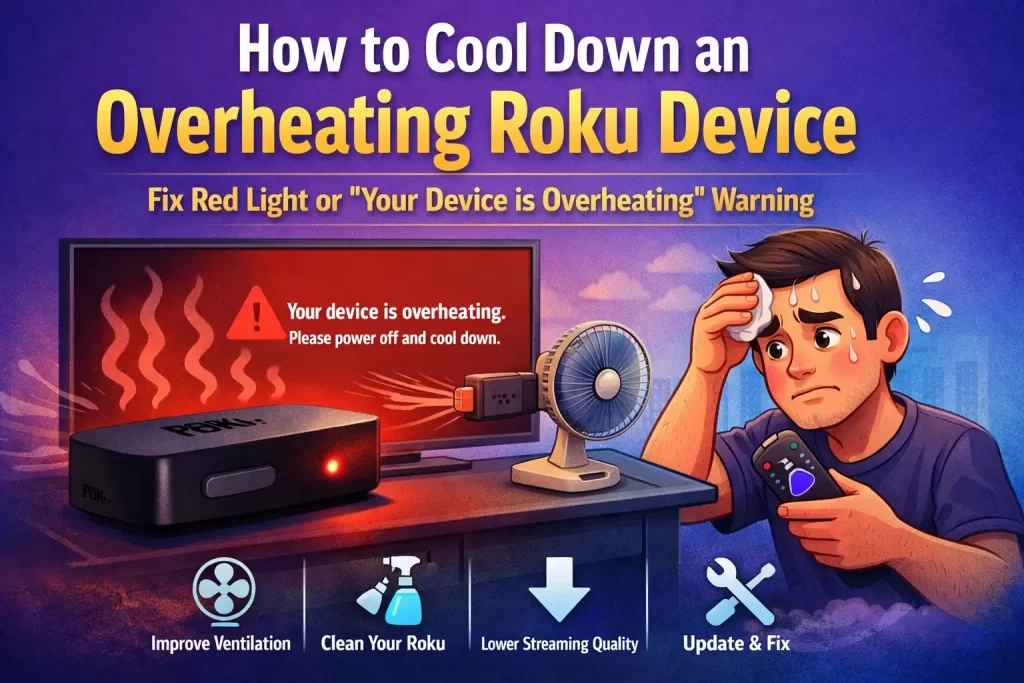
When a Roku device gets too hot, it usually displays a warning message on the TV screen. The message typically says:
“Your device is overheating. Please power it off and allow it to cool down.”
Some Roku models will also show a solid red light on the device as an additional warning. If you see this message, the best thing to do is:
- Turn off the device immediately
- Unplug it from power
- Let it cool down for about 15–20 minutes
Once the device has cooled down, you can reconnect it and continue using it.
How to confirm Roku stick is overheating or not?
Sometimes it’s hard to tell whether the device is simply warm or actually overheating. Here are a few ways to confirm it.
– Device Red Light
When you see that the instrument is getting overheated, then there is going to be an inbuilt mechanism that is going to show the red light on some of the Roku devices.
When you are seeing the red light without any stop, then that will mean that your instrument has become too hot.
– On-Screen Message
There are times when the Roku device or stick gets overheated and there is going to be a warning message displayed on the screen. The warning message is going to read as that your device is overheating.
When you will see this message, you will see that your device is getting overheated. There will be a message displayed on your television. When you see this step, you are going to see the message will take the necessary action to avoid the issue.
– Manual Touch
You can even try and touch the device and the stick manually in order to see if they are overheated or not. This contact is going to let you know whether your device is getting overheated or just regularly heated.
Once you confirm the Why is my Roku Overheating, then you will be able to know how to resolve the issue. If not, then follow the steps below in order to resolve the issue.
Steps to Resolve Roku Device Overheating issue
1. Unplug the Device
The first step that you need to follow is to cool down the overheating of the instrument by unplugging it from the power supply. After you have unplugged the device, you need to let it down for at least 15-20 minutes.
See whether you are able to fix this issue or not. If you are not able to fix this issue, then you can follow the next step.
2. Change the Location
If you are not able to fix the issue, then you are required to change the location of the device. You need to find a place where there is no heating element near to the device. Also, make sure that you are not placing your device near any power supply.
You also need to keep a distance from any of the heated objects and also do not keep it in any of the closed compartments. Try moving the device to a location that:
- Has good airflow
- Is not inside a closed cabinet
- Is away from other electronics
An open area helps heat escape more easily.
3. Re-plug the device
There is a fair chance that till now the device must have been cooled off. Then you need to again connect it to the power cord. After that wait for the device to start again.
See if you are still facing the Roku device overheating issue. If not then it’s fine, if yes, then the issue may be somewhat advanced.
4. Ensure Proper Ventilation
To Cool down Roku device. You make sure that you place your Roku device in an open area with plenty of airflow to allow heat to dissipate.
Avoid stacking other electronic devices on top of or around your Roku. You can put Roku device out side the cabinet box. To Ensure Roku device gets the proper ventilation. Also avoid stacking it near:
- Gaming consoles
- Cable boxes
- Routers
- Sound systems
Keeping some open space around the device allows air to circulate freely.
5. Clean Your Roku
Regularly clean your Roku player to remove dust and debris. Unplug it and use compressed air or a soft brush to clean the vents and ports. To clean your Roku safely:
- Unplug it from power
- Use a soft cloth or compressed air
- Remove dust from vents and ports
Make sure to clean the area where your Roku is placed to prevent dust from accumulating.
6. Reduce Streaming Quality
If you frequently stream in high definition, consider lowering the quality settings in the Roku menu. This will reduce the load on your device and decrease heat generation.
7. Update Firmware
Ensure that your Roku is running the latest firmware. Roku regularly releases updates to improve performance and address issues like overheating.
8. Reboot Your Roku
Periodically reboot your Roku device to clear temporary data and free up system resources. To do this, go to Settings > System > Power > System Restart.
9. Invest in Cooling Accessories
Some third-party accessories, like cooling stands, are designed to dissipate heat and keep your Roku cool. Consider using one if you frequently experience overheating.
10. Upgrade to a Newer Model
If your Roku player is an older model and frequently overheats, you might consider upgrading to a newer version with improved performance and thermal management.
Tips to Prevent Roku Overheating
To avoid this issue in the future, keep these simple tips in mind:
- Place your Roku device in an open and ventilated area
- Clean dust regularly
- Avoid placing it near heat sources
- Use an HDMI extender if needed
- Keep the system software updated
- Avoid running the device continuously for many hours
These small steps can help keep your Roku running smoothly.
Final Thoughts
Overheating problems with Roku devices are usually easy to fix. In many cases, simply moving the device to a better location, cleaning it, or letting it cool down can solve the issue.
Taking care of proper ventilation and keeping the device updated can also prevent overheating in the long run. If the warning continues to appear even after trying all the solutions above, the device may have a hardware issue.
In that situation, contacting Roku support or upgrading to a newer model may be the best option. With the right care and setup, your Roku device should provide smooth and uninterrupted streaming for years to come.
If you are still not able to resolve it, then the issue might be somewhat advanced. Which is why you can get in touch with the esteemed professionals.
Till than take care and enjoy streaming 🙂
And don’t forget to share your thoughts in the comment section below.