


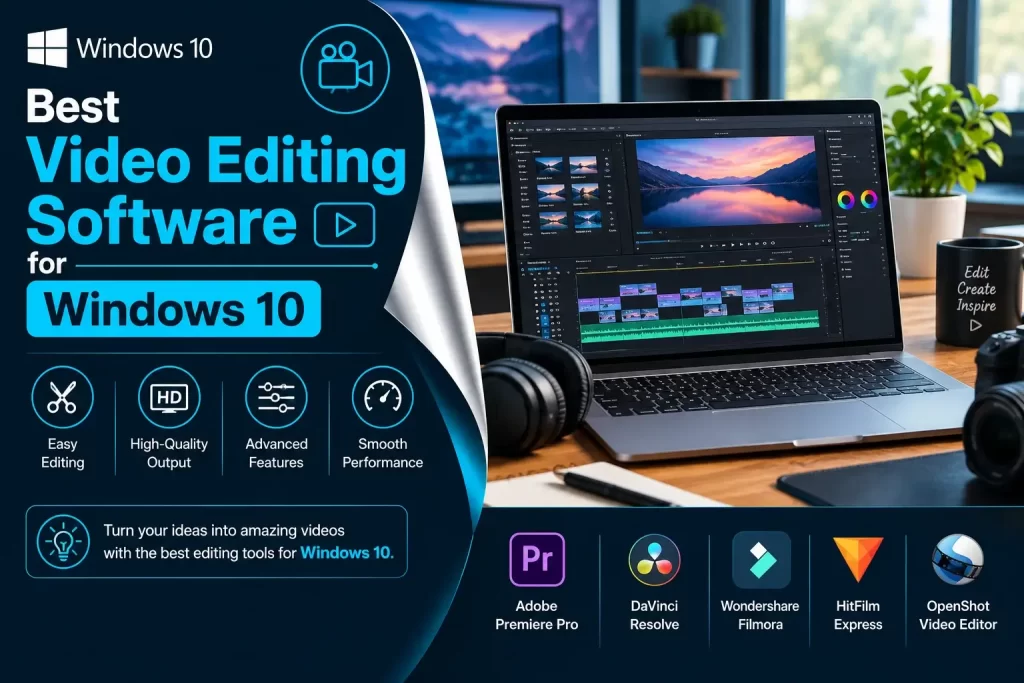
The best video editing software brings you the flexibility to highlight the aspects of a video you want to show. You can customize each frame or angle to get the best results.
In a socially active world where demand for ‘rich content’ is at an all-time high, video editing software is an invaluable asset.
However, not all of us can afford premium-grade software. What if there are alternatives to these software that bring you similar leisures?
This list brings you the free top 10 best video editing software that will suit your various requirements. Whether you want to stand out with your content or explore your creativity, they are a perfect visual tool.
That’s right! You’re about to dive into the treasure trove of free video editors. But before that, let’s expand a little more on these applications.
We have prepared the list of the top 5 best video editing software packages that you can download and use for free on your Windows 10 PC.
How Does A Video Editing Tool Help?
Apart from the above-given benefits, a video editing tool can help you redefine quality and color. You can combine more than one video and create something enticing.
If you’ve ever come across various mashups or fusion or various showreels, it’s all possible through these video editing tools.
If you’re in the marketing department, it can help you showcase your product better. It brings you the option to add various effects for content creators, trim the irrelevant parts, and much more.
Overall, just like free audio softwares, these help you with a versatile range of tools. This list has a variety of video editors from minimalist to the full-fledged tool kit.
From quick editing to in-depth maintenance, you will get everything. The best part is they’re all free.
So let’s begin.
The List Of Best Video Editing Software
1. Blender
Now the first video editing software on the list is for professionals. Blender is an open-source video editor that is available for every major operating system.
It brings you the option to perform various tasks from minimum trimming and splicing requirements to masking and color-correcting, even adding effects.
Initially, it was a 3D Video developing tool, and that aspect still exists. Thus, you have more than you could ask for. You even get audio editing with the platform.
However, Blender is not a beginner-friendly video editor. It might require some learning before you can use it to the full potential.
– Pros:
- Completely free and open-source.
- Supports advanced video editing, 3D animation, and visual effects.
- Includes powerful masking, color correction, and audio-editing tools.
- Available on Windows, macOS, and Linux.
- Excellent choice for advanced creative projects.
– Cons:
- Not very beginner-friendly.
- The interface can feel overwhelming for first-time users.
- Requires a learning curve to use its advanced features effectively.
- May be more complicated than necessary for simple video edits.
2. OpenShot
OpenShot is one of the best free video editor software for windows 10 that is easy to download and use. If you want something more beginner-friendly with an easy to use interface, Openshot might be your cup of tea.
It is excellent for baseline video editing from trimming, splicing, and adding some simple effects. For small scale enterprise or business, it might be good software.
IT offers you various standard video editing features such as color correcting, greyscale and other effects. You can even use a key feature to create animation.
It is effortless on the system and runs seamlessly. OpenShot is the opposite of Blender, a tool for easy use. As it is open-source, you can use it on Windows, Linux, or Mac.
– Pros:
- Simple and beginner-friendly interface.
- Free and open-source.
- Available for Windows, macOS, and Linux.
- Supports trimming, transitions, effects, and animation.
- Relatively lightweight compared with professional video editors.
– Cons:
- Advanced editing capabilities are limited.
- Can become less responsive when working with complex projects.
- Fewer professional features than high-end editors.
- Not the best choice for demanding professional workflows.
3. Avidemux
Here’s another borderline simple and easy to use video editors that are great for beginners. Now, this one doesn’t come with a lot of features or effects.
It has an attractive interface. You can edit real or animated videos precisely on this platform. However, it supports basic commands.
It’s great for filtering, basic editing, cutting, encoding, and other simple tasks. In short, you can call it an entry-level video editing tool.
It’s on the list for its simplicity, and if you want a low-performance requirement tool, this is one of the best.
– Pros:
- Extremely simple to use.
- Free and open-source.
- Lightweight and requires relatively few system resources.
- Excellent for cutting, filtering, encoding, and basic video processing.
- Supports multiple common video formats.
– Cons:
- Limited creative effects and advanced editing tools.
- Interface looks dated compared with modern editors.
- Not suitable for complex video projects.
- Lacks many features expected by professional video editors.
4. Shotcut
Are you looking for an HD video editor? This one should fall right into your collection. Shotcut was initially a video editing software for Linux.
Over time, it expanded to other OS. Hence, it has a less comfortable interface than the previous two video editors.
The best part about Shotcut is its user-friendly approach. You have plenty of video tutorials to learn the software, so you don’t have to go anywhere else.
It supports a wide range of video formats without affecting their quality. As it is a free video editing tool, you get access to features, tools, and other leisure that you would generally get in a premium video editing tool.
– Pros:
- Free and open-source.
- Supports Windows, macOS, and Linux.
- Supports a wide range of video and audio formats.
- Offers advanced features such as filters, transitions, and color correction.
- Supports high-resolution video editing.
- No subscription is required.
– Cons:
- Interface can take some time to learn.
- Advanced features may be confusing for beginners.
- Performance can depend heavily on your computer’s hardware.
- Some professional workflows may require more specialized software.
5. Hitfilm Express
Perhaps you want to give a touch of high-production Hollywood movies to your videos?
Then Hitfilm will be a perfect all-in-one free video editing application. It brings you a wide range of options in features, tools, effects, and compatibility.
In the beginning, it might be a little tricky to use, but it gets relatively convenient. Hitfilm is one of the best video editors you can ask for.
Whether you want to add some green-screen work, mesh some clips together, or add various effects, it is an excellent professional-level tool. However, it is not available for Linux.
– Pros:
- Offers video editing and visual-effects capabilities in one application.
- Good selection of effects and compositing tools.
- Useful for green-screen and creative video projects.
- Suitable for YouTubers and content creators.
- Provides more advanced capabilities than many basic free editors.
– Cons:
- Has a steeper learning curve for beginners.
- Can require considerable system resources.
- Some advanced features may require paid upgrades depending on the version.
- Linux support is not available.
- The software’s availability and product lineup have changed over time.
6. DaVinci Resolve
This list would be incomplete without DaVinci Resolve. It is a robust and free video editing tool that offers up to 8K Video quality support.
Now combine that with ‘smart’ features and the ability to use the software online and offline. Sounds very tempting, right?
While it’s free, there is a premium version that allows ‘full-studio video editing.’ In other words, you can get the quality of TV shows and movies.
It has intelligent controls, and over time, it has grown to be a primary choice for many professionals content and video creators. You can never go wrong with this software, but you would have to learn it.
– Pros:
- Powerful professional-grade editing tools.
- Excellent color correction and color-grading capabilities.
- Supports high-resolution video editing.
- Includes editing, visual effects, motion graphics, and audio tools.
- Available for Windows, macOS, and Linux.
- The free version provides an impressive range of professional features.
– Cons:
- Steep learning curve for beginners.
- Requires a relatively powerful computer for demanding projects.
- Uses considerable storage space.
- Some advanced features are restricted to the paid Studio version.
- May be excessive for users who only need basic trimming and editing.
7. InVideo
Let’s take the above-mentioned video editing apps’ professionalism and put it in a more friendly user experience.
Here you get In the video, a tool that brings you similar options and features, but for more beginner-friendly or entry-level users. It is prevalent in many marketing departments for its impeccable quality and performance.
However, there’s a severe drawback that supports one audio at a time. Hence, it is better for marketing, blogging, and other similar applications.
If you want something more well-versed in the audio department, you won’t get much. If you want a video editor for presentation and other video editing requirements, this is a good pick.
– Pros:
- Beginner-friendly interface.
- Useful for marketing videos, social media content, and presentations.
- Provides templates that can speed up video creation.
- Web-based workflow makes it convenient for users who don’t want complex desktop software.
- Suitable for quick content creation.
– Cons:
- Internet access is important for its browser-based workflow.
- Some features and assets may require a paid plan.
- Less suitable for highly detailed professional editing.
- Template-based editing can provide less control than a traditional timeline editor.
- Free-plan limitations may affect exporting and available assets.
8. VSDC Pro Video Editor
This one’s another free and premium professional video editing software. It brings you a complete range of essential tools such as color correction, various effects, image filters, and whatnot.
You get access to some of the most popular and commonly used filters. For professional editing, you get masking, blurring, and other specific tools.
Additionally, it is easier for you to share work on social media. It also supports HD video editing at HEVC and other formats to conserve the size.
More importantly, the premium is not too expensive, either.
– Pros:
- Offers a broad range of video-editing tools.
- Supports color correction, filters, masking, and visual effects.
- Supports HD and other high-resolution video formats.
- Useful for both basic and more advanced editing.
- Windows users can access a capable free version.
- Includes tools for preparing videos for social media.
– Cons:
- The interface can be difficult for beginners.
- Primarily designed for Windows users.
- Some advanced features are available only in the Pro version.
- Professional users may prefer more established high-end editing platforms.
9. Lightworks
Lightworks is another commendable platform that brings you high-quality editing for simple trimming. You can change speed or keep editing the video while you upload or import other relevant content.
It is very precise, and you can edit multiple camera angles for a comprehensive project. Perhaps the best aspect is the real-time sharing that you can work as a team.
Thus, for people working from remote areas or homes, it is a very flexible choice. You can also easily share and upload videos on various platforms. For exceptional teamwork, it is hands-down the best video editor.
Pros: Professional-style editing workflow. Supports precise trimming and multi-camera editing. Useful for collaborative video projects. Available for multiple operating systems. Suitable for both beginners and more experienced editors. Has a history of being used in professional video-production environments.
Cons: The interface can take time to master. The free version has limitations compared with paid versions. Some advanced export and workflow features may require a subscription. May be more complicated than necessary for simple editing tasks.
– Pros:
- Professional-style editing workflow.
- Supports precise trimming and multi-camera editing.
- Useful for collaborative video projects.
- Available for multiple operating systems.
- Suitable for both beginners and more experienced editors.
- Has a history of being used in professional video-production environments.
– Cons:
- The interface can take time to master.
- The free version has limitations compared with paid versions.
- Some advanced export and workflow features may require a subscription.
- May be more complicated than necessary for simple editing tasks.
10. iMovie
It might be a little surprising, but Apple has a free video editing tool. iMovie is a remarkable and self-sufficient video editing tool you would need on a Mac platform.
There’s no need for you to get any other video editors unless you want to get into professional editing. It is a full-fledged platform connected to Apple’s cloud storage for easy uploading and saving work.
More importantly, it has a straightforward interface. Apple has always worked on providing ‘ease of use’ for its patrons.
Here you get a free video tool that brings you exactly that to explore your creativity.
– Pros:
- Free for supported Apple devices.
- Very easy to learn and use.
- Clean and intuitive interface.
- Excellent for basic editing, transitions, titles, and effects.
- Works well within the Apple ecosystem.
- Great option for beginners and casual video creators.
– Cons:
- Primarily limited to Apple platforms.
- Fewer advanced features than professional editors such as DaVinci Resolve.
- Less suitable for complex professional projects.
- Provides less customization than advanced desktop video-editing software.
- Not an option for Windows users.
Conclusion
There are some others like Windows Movie Maker that you can use, but they are fundamental, and we covered their best alternatives better for multiple platforms.
This list of top video editors considers users with various requirements. That’s why you get free video editing tools and those that have a more professional utility with subscriptions.
Whether you have an essential requirement, marketing campaign, blog, or safekeeping for memories, these tools will fit right in your inventory.
You can use different tools without draining your system, either. Hence, this is your one-stop for the best video editing software.